


The One-Device Backup Problem
Right now, your photos, documents, and important files are probably scattered across a few devices - your laptop, your phone, maybe an external hard drive. If any one of those devices dies, you lose whatever was on it.
You could back everything up to the cloud - Dropbox, Google Drive, iCloud - and that works fine for most people. But there is a middle option that gives you more control, more storage for the money, and does not require a monthly subscription.
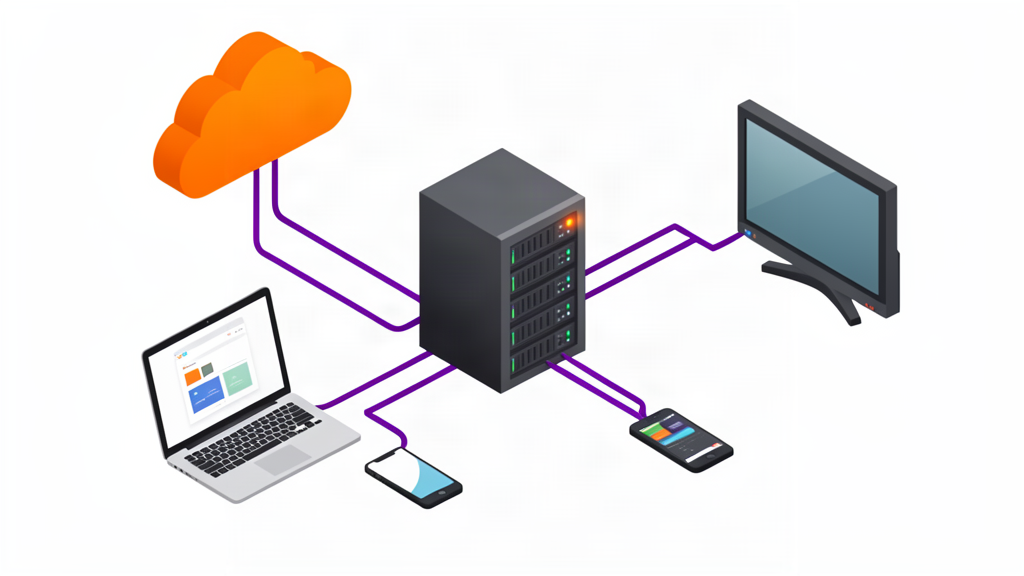
It is called a NAS (Network Attached Storage). Think of it as a private hard drive that every device on your home network can access, all at once, without needing to plug anything in.
What a NAS Actually Is
A NAS is a small box with hard drives in it, connected to your router. That is the simple version.
Inside the box is a low-power computer running simple software that shares those drives over your network. Once it is set up, every device in your house - laptops, phones, tablets, smart TVs - can see it as just another folder.
It is not a cloud service. It lives in your house and you control it completely. Nobody else can access it unless you let them.
It is not an external hard drive. An external drive plugs into one computer at a time. A NAS plugs into your network and serves every device at once.
What You Can Do With a NAS
The most common uses, in order of how useful they actually are:
1. Automatic backups for every device. Set your laptop and phone to back up to the NAS every night. If a device dies, you restore from the NAS instead of hoping the cloud has everything.
2. Media server. A NAS can run software like Plex or Jellyfin that organizes your movies, TV shows, music, and photos, and streams them to any TV, tablet, or phone in your house. It becomes your personal Netflix.
3. File sharing between devices. Save a document on your desktop, pick it up on your laptop, edit it on your tablet. No USB drives, no emailing files to yourself.
4. Sync folders across devices. Some NAS software works like Dropbox - a folder on your laptop stays in sync with the NAS, so you always have a local copy and a backup copy.
5. Run small server applications. More advanced users can run a Pi-holeA network-wide ad blocker that runs on a small computer or NAS and filters ads before they reach any device in your house., a home automation controller, or a VPN serverA VPN server you run yourself lets you securely access your home network from anywhere in the world, like a private tunnel back to your house. to access your files remotely.
What You Need to Buy
A NAS has two parts: the box (the “NAS enclosure”) and the hard drives.
The enclosure is the computer part. For a home user, the two brands that matter are Synology and QNAP. Both make excellent products with easy setup software.
They come in different sizes based on how many hard drives they hold:
- 2-bay: Two drives. Good for basic backups and media streaming.
- 4-bay: Four drives. The sweet spot for most homes - plenty of storage with room for expansion.
- 6-bay and up: Overkill unless you are storing massive media libraries or running a small business.
The hard drives matter more than the enclosure. Do not buy desktop hard drives for a NAS. They are not designed to run 24/7 in a warm, vibrating enclosure. Buy NAS-rated drives from Western Digital RedA line of hard drives designed specifically for NAS devices - they handle constant operation, vibration, and have better error recovery. or Seagate IronWolfSeagate's line of NAS-specific hard drives, comparable to WD Red, built for always-on operation in multi-drive enclosures..
RAID Is Not as Scary as It Sounds
Most NAS devices let you set up RAIDA way of combining multiple hard drives so that if one drive fails, you do not lose your data. Think of it like having a spare tire for your storage.. The short version is:
- Two drives in RAID 1: One drive mirrors the other. If a drive dies, your data is safe on the other one. You lose half your total capacity.
- Four drives in RAID 5: You can lose any one drive without losing data. You lose one drive’s worth of capacity to protection.
For most home users, a 2-bay NAS in RAID 1 is the right starting point. Two 4 TB drives gives you 4 TB of protected storage, which is plenty for backups, photos, and a medium media library.
Do You Actually Need a NAS?
Honestly, most people do not. Cloud storage handles backups and file sharing well enough for the average household. A NAS is for people who:
- Have a large media collection (ripped Blu-rays and DVDs, downloaded movies, music libraries)
- Want full control over their data and do not trust cloud providers
- Have multiple devices they want to back up to one place
- Enjoy tinkering with technology
If that sounds like you, a NAS is one of the most useful tech purchases you can make for your home network. If it does not, stick with Google Drive or iCloud and do not feel bad about it.