


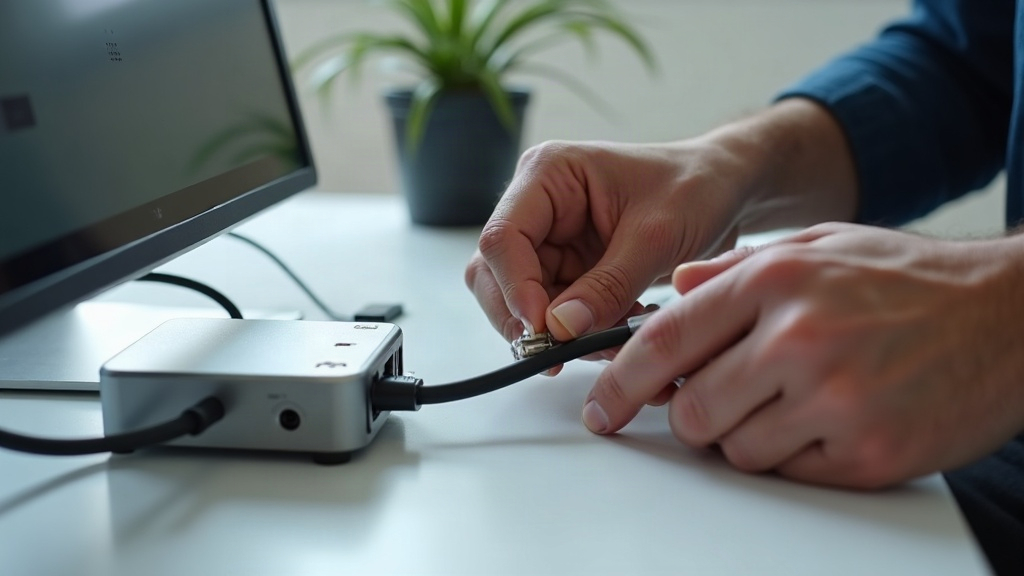
Why Bother With Cables?
Wi-Fi is convenient, but it has limits. Walls block signals. Neighbors cause interference. And no matter how good your router is, a cable connection is faster and more reliable every single time.
If you game, stream 4K, work from home, or just want your network to be rock solid, running a few Ethernet cables is one of the best upgrades you can make. And it is not as hard as it looks.
Cat5e, Cat6, Cat6a - What Is the Difference?
Ethernet cables come in categories - Cat5e, Cat6, Cat6a, Cat7, Cat8. The vast majority of homes only need one of the first three.
| Cable | Max Speed | Max Length | Best For |
|---|---|---|---|
| Cat5e | 1 Gbps | 100m (328 ft) | Most homes today - handles gigabit internet perfectly |
| Cat6 | 10 Gbps (at 55m) | 55m (180 ft) for 10G | Future-proofing, short runs |
| Cat6a | 10 Gbps | 100m (328 ft) | Long runs, shielded needed |
For 99% of home users, Cat5e or Cat6 is the right choice. Cat5e handles gigabit internet without breaking a sweat, and it is cheap. Cat6 gives you a little more future-proofing if you think you will have multi-gig internet in the next 5 years. Cat6a is overkill unless you have a very large house and need long cable runs.
Ignore Cat7 and Cat8. They are designed for data centers, not homes, and they use different connectors that may not work with your devices.
Pre-Made Cables vs. Making Your Own
You have two options: buy pre-made cables in standard lengths (3 ft, 6 ft, 10 ft, 25 ft, 50 ft), or buy bulk cable and attach your own connectors.
Pre-made cables are the better choice for almost everyone. They are tested at the factory, guaranteed to work, and cheap. Amazon Basics or Monoprice Cat6 cables cost a few dollars each. Just measure the distance you need and buy the closest standard length.
Making your own only makes sense if you need custom lengths (e.g., exactly 37 feet through a wall cavity) or you are running cable through conduit where pre-made connectors will not fit. You will need:
- Bulk Ethernet cable (solid copper, not CCA - copper-clad aluminum is junk)
- RJ45 connectors
- A crimping tool
- A cable tester (cheap ones are $10 and save hours of frustration)
Running Cables Through Your House
If you are just connecting a device next to your router, you do not need any of this - just plug in a pre-made cable and you are done. This section is for running cables through walls, attics, or basements.
The right way:
-
Plan the route. The easiest path is usually through an attic (drop down through walls) or a basement (run up through walls). If neither is accessible, running cables along baseboards or crown molding with cable clips is the next best option.
-
Measure twice. Run a piece of string along the path you plan to use, then measure the string. Add a few extra feet for slack.
-
Use the right tools. A fish tapeA long, flexible metal or fiberglass strip used to pull cables through walls and conduits. or glow rods make pulling cable through walls much easier. A drywall saw (keyhole saw) is needed to cut holes for wall plates.
-
Create a home run. Run each cable from your router location (or a central patch panelA panel with ports on the front that connects to cables running through your walls, making it easy to organize and switch connections.) to the room where the device lives. Avoid daisy-chaining or splicing cables.
-
Terminate in wall plates. Install keystone jacksThe modular connectors that snap into wall plates - you punch down the Ethernet cable wires into the jack, then snap it into a wall plate for a clean, professional look. in each room and a patch panel at the central location. This looks professional and makes changes easy.
The easy way (better than nothing):
Run cable along baseboards, tuck it under carpet edges, or use flat Ethernet cables that go under rugs. It is not as pretty, but it works. Cable clips with adhesive backs keep everything tidy.
What to Avoid
- Running cable parallel to electrical wires. Electrical cables create interference (EMIElectromagnetic interference - electrical noise from power cables that can corrupt data signals in unshielded Ethernet cables running alongside them.). Cross electrical wires at 90-degree angles if you must go near them.
- Stapling cables too tight. Use cable staples (not standard staples) that are wide enough to hold the cable without crushing it. A crushed cable causes slow speeds or total failure.
- Bending too sharply. Ethernet cable has a bend radius - generally about four times the cable’s thickness. A sharp 90-degree kink can break the internal wires.
- Using CCA (copper-clad aluminum) cable. It is cheaper but breaks easily and does not meet specifications. Buy solid copper cable.
The Minimum Viable Setup
If you only run two cables in your house, run one to your gaming PCA desktop computer used for gaming - the device that benefits the most from a wired connection due to latency sensitivity. or work computer and one to your main TV or streaming device. Those two connections will handle 80% of your household’s heavy traffic, leaving Wi-Fi for everything else.
Everything else - phones, tablets, smart home devices - works perfectly on Wi-Fi. You do not need to wire everything.