


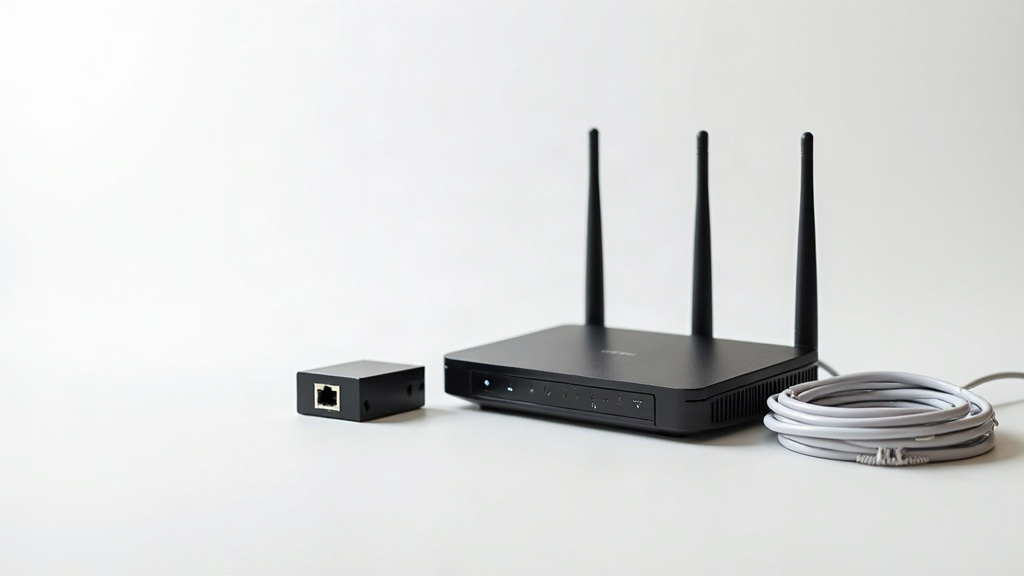
The router aisle is a test. Every box shouts a different number - AX5400, tri-band, Wi-Fi 7, “gigabit” - and the prices run from $30 to $600. If you feel like you’re guessing, you are. The boxes are designed that way.
We said at the end of the router settings article that we’d write the buying guide properly, and the more we watched the forums and the FCC docket, the more the answer stayed the same: most people don’t need to spend much at all, and the people who should spend big are a small minority.
Here’s the version.
Under $50: The Free Fixes Come First
I know you came here for a shopping list. But the most valuable part of this guide costs $0, because the number one cause of bad Wi-Fi isn’t bad gear. It’s gear in the wrong place, doing the wrong job.
Three things to try before you spend a single dollar:
-
Move your router. This is the single cheapest fix in all of networking, and we wrote a whole guide on it: Where to put your router. Off the floor, out of the cabinet, away from the TV and the fish tank. Five feet can be the difference between a dead bedroom and a full signal.
-
Cable the things that matter. A $20 ethernet cable turns your work computer or streaming TV into the most reliable device in the house - no Wi-Fi involved. If your internet plan is faster than your Wi-Fi can deliver, the cable is how you actually get what you pay for. See our Ethernet cabling guide for what to buy.
-
Split your bands. If your router blends the 2.4 and 5 GHz bands under one name, your devices are probably choosing the slower one. Giving them separate names takes five minutes: how to set up separate 2.4 and 5 GHz networks.
Here’s why this matters, and it’s not theory. On r/HomeNetworking, the same story posts itself every week: someone bought a mesh system and their speeds got worse. A Deco X55 pulling 150-300 Mbps on a gigabit connection. A Deco X60 delivering half of a 400 Mbps plan. An M4 that’s slower wired than the main router it replaced. Threads titled “mesh much slower than main router.” The common thread isn’t the brand - it’s that the gear was bought before the problem was diagnosed. If you haven’t run the 10-minute diagnosis, no router on the shelf will fix your Wi-Fi.
If you do all three free fixes and still need to spend under $50: a basic Wi-Fi 5 or entry-level Wi-Fi 6 router is genuinely fine for a small apartment with a handful of devices. A good ethernet cable is $15. A five-port gigabit switch is $20. What under $50 won’t buy you is a fix for a coverage problem in a big house - that’s the next tier.
$100-200: Where Real Value Lives
This is the tier where most people should land, and it’s also where the boxes finally start telling the truth.
For the money, a good Wi-Fi 6 router - the AX3000 to AX5400 class - handles everything a normal household throws at it: streaming, video calls, gaming, 20 to 30 devices at once. That’s why the router buying guide calls $80 to $150 the sweet spot, and nothing has changed my mind since. We explain the Wi-Fi 6, 6E, and 7 difference in full, but the short version: Wi-Fi 6 is plenty for almost everyone.
Two ways to spend this tier:
- One good router ($100-150). Right choice for homes under about 1,500 square feet that aren’t awkwardly shaped. A single strong router beats an entry-level mesh system at the same price - and it’s easier to manage.
- A mesh system ($150-250). Right choice when coverage is the problem: multi-story homes, thick walls, a far bedroom. Start with a two-pack. If you can run one cable between the nodes, do it - wired backhaul is an upgrade that actually makes a big difference, and the mesh explainer covers the basics.
One caution for this tier: don’t buy the cheapest mesh system you can find. A $200 mesh system can genuinely be worse than a $100 single router - the extra boxes aren’t a free upgrade, they’re a budget spread thin.
$300+: When It’s Actually Justified
There are three reasons to spend this much, and only three:
- Wi-Fi 7. Worth it only if you have gigabit internet, a house full of recent phones and laptops that support it, and a reason to move files around the network at full speed. If you had to think about whether you need it, you don’t.
- A genuinely big home. Three-pack mesh with wired backhaul, for a house where a two-pack leaves a dead zone. This is the fix when the problem is physical distance, not the router.
- Many, many devices. A house running 40-plus gadgets - smart home gear, cameras, everyone’s phones - benefits from the better hardware that comes with premium routers.
Everything above that - the $500 flagships, the “gaming” routers with lots of lights on them, the subscription security suites - is paying for marketing, not performance. The box is the fix and it’s where all the budget should go.
What to Skip Entirely
- Wi-Fi extenders. In 2026, with mesh systems this cheap, the extender comparison is a eulogy. Extenders cut your bandwidth in half and add a second network to manage. The only case for one is a single dead spot you need covered this afternoon for under $30.
- “Gigabit” routers on a plan that isn’t gigabit. A router can’t create speed your plan doesn’t include. Understanding internet speeds explains what you’re actually paying for; the plan guide covers the buying side. If your plan is 200 Mbps, a $200 router makes your network feel exactly as fast as a $500 one.
- Router antivirus and “AI security” subscriptions. Your router does not need antivirus. If a router tries to sell you a subscription during setup, return it.
- Replacing gear you haven’t diagnosed. This is the big one. If you haven’t run the free fixes and the wired test, you don’t know what’s broken yet. Buying to fix a mystery is how the Deco owners in the forums ended up slower than they started.
What About the Router Ban?
If you’ve seen the headlines about the FCC blocking routers, here’s the calm version: your current router is fine. There is no recall. Nobody is coming to take it.
What actually happened: the FCC’s Covered List, which grew out of the 2019 law about security risks in telecom equipment, blocks new authorizations of routers from companies on the list. The ban applies to new gear entering the market, not to equipment already in your home. Your router doesn’t stop working because the FCC changed a list.
And the news keeps moving in the direction of “more routers available, not fewer.” On August 14, 2026, the FCC’s Public Notice DA-26-850 added Askey and Zyxel to the conditional-approval list - meaning they’re exempted from the Covered List and can get new authorizations again. They join Netgear (Nighthawk and Orbi), eero, Adtran, and Calix, whose approvals are standing through 2027.
What this means for you as a buyer: new foreign-made routers are being approved again, selectively, and the big brand names you see on shelves - Netgear, eero, and now Zyxel - are on the approved side of the line. Before you assume a router you like “can’t be sold anymore,” check the FCC’s approval list. The odds are good it’s available, and the ban is not a reason to rush out and replace working gear.
What to Do Now
- Run the free fixes first: diagnose, move the router, cable the important devices, split the bands
- If Wi-Fi still isn’t good enough, check your plan against what you actually need - you may be paying for speed no router can deliver
- Most homes: spend $100-150 on a Wi-Fi 6 router from a brand that still makes routers
- Big or multi-story home: a two-pack mesh with wired backhaul if you can run a cable, $200-250
- Skip extenders, skip subscriptions, skip the flagship boxes
- When you do buy, check the FCC approval list - and don’t replace working gear out of ban panic
The best upgrade is often nothing at all - the second-best is $60, not $600.
Want the full guide? We’re building a complete home networking book with detailed setup instructions, gear recommendations at every budget, and a complete security chapter that won’t put you to sleep. Sign up for the free guide.