



You WILL have heard about AI for at least the last couple of years. Maybe you have tried it. Maybe you haven’t, because you are not sure what it is for, or you have heard the scary stories about it taking over the world or destroying all the jobs.
Put those aside for a moment. This is about what AI can do for you today, for free, with nothing to install and nothing to learn.
I use AI every day. Not for world-changing science. For the boring stuff: drafting emails, getting explanations of things I do not understand, finding recipes from whatever is in my fridge, summarizing long articles, making my writing clearer. It saves me an hour a day, easily. And I pay nothing for it.
Here is how you can do the same.
How It Works
There are a number of free AI chatbots. You open a website, type what you need, and it responds. No account required for some. No software to download. No complicated settings.
Right now the most capable free options are:
- ChatGPT - the most well-known. The free tier is fast and good at almost everything.
- Claude - particularly good at writing and explaining things clearly. Free tier is generous.
- DeepSeek - the newest competitor. Free, fast, and surprisingly capable.
- Google Gemini - also free, and built into Google’s own products if you already use them.
- Dola - free, and owned by ByteDance, the company behind TikTok. Whether that matters to you is your call, and it is worth knowing either way.
Pick any one. They all do roughly the same thing. If one is slow or refuses to answer, try another. I keep several bookmarked.
What You Can Actually Do With It
The key is knowing what to ask. Here are the things I actually use AI for, with real prompts you can copy.
Cooking: “I have these ingredients, what can I make?”
This is the one I use most. Open the AI and type:
“I have chicken thighs, a can of coconut milk, rice, an onion, and some garlic. What can I make for dinner?”
It will give you actual recipes. If you do not have something, tell it and it adjusts. If you want a 20-minute version, say so. It is like having a cookbook that writes itself around what you already have.
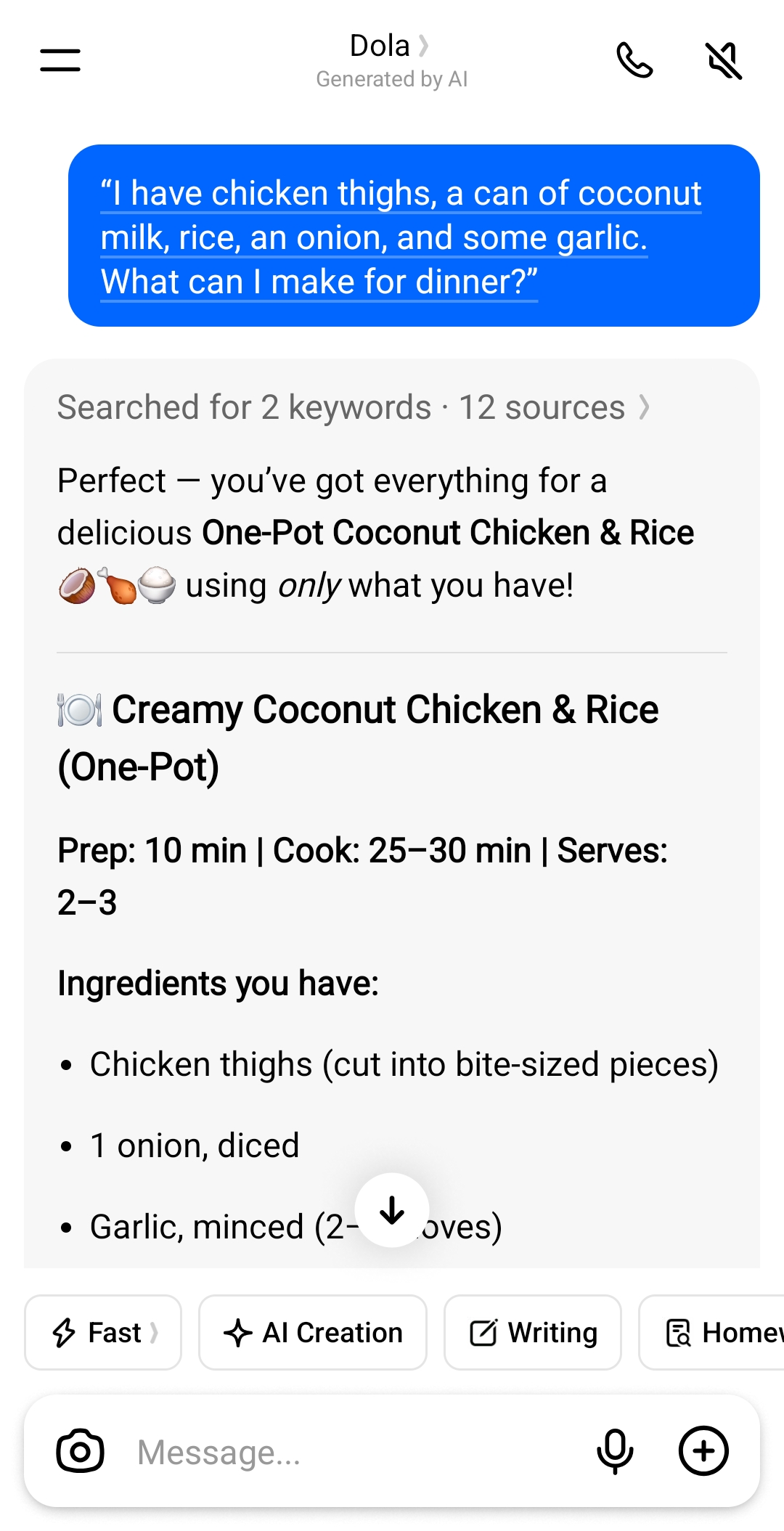
What came back. That is the exact prompt above, run in Dola - a free assistant, shown here in its phone app. It works in a browser as well, with nothing to install.
Writing emails and letters
Struggling to start a letter to a friend, a complaint to a company, or an email to your landlord? Type:
“Help me write an email to my building manager about a leaky tap that has not been fixed in two weeks. I want to be firm but polite.”
It drafts the whole thing. You edit it down to sound like you. This alone saves me a lot of time.
Explaining something you do not understand
Got a letter from the doctor, a tax notice, or a terms-of-service page full of jargon? Paste it in and ask:
“Explain this like I am 15 years old. I do not know any of the technical terms.”
AI is remarkably good at this. It cuts through the nonsense and tells you what it actually means.
Summarizing long articles
Someone sends you a 3,000-word news article but you want the short version? Paste the text in and say:
“Summarize this for me in 3 bullet points.”
That is it. It strips the fluff and gives you what matters.
Planning a trip
“I want to visit Barcelona for 5 days in October. I like museums, good food, and walking. Give me a loose itinerary.”
It will give you a day-by-day plan. You can refine it. It is not always perfect - check opening hours and prices - but it is a better starting point than staring at a blank page.
Learning something new
“Explain how the Roman Empire actually fell. Keep it simple.”
It teaches. You can ask follow-up questions. It never gets impatient.
Idea generation (one I especially like)
AI is great for breaking out of a rut. Stuck on what to cook, what to watch, what to get someone for a gift, or what to do this weekend? Ask it for 10 ideas. Most will be bad, but one will be good, and you may not have thought of it yourself.
What Not to Do
AI is useful. It is not magic. A few things to keep in mind:
- Do not share personal information. No passwords, no bank details, no social security numbers. Treat it like a stranger on the internet who is helpful but should not know your address.
- Understand that none of them are private. No online AI is secure in the way you might hope. What you type can be stored, reviewed, and used to improve the next version of the model. That is true of all of them, not only the ones owned by companies you have not heard of. Use them for questions, not for confessions.
- Do not trust it blindly. It makes mistakes. It is confident when it is wrong. Anything important - medical advice, legal questions, financial decisions - double-check with a real expert.
- Do not overthink your prompts. You do not need to learn “prompt engineering.” Just type what you want in plain English. If the answer is bad, try again with more detail added.
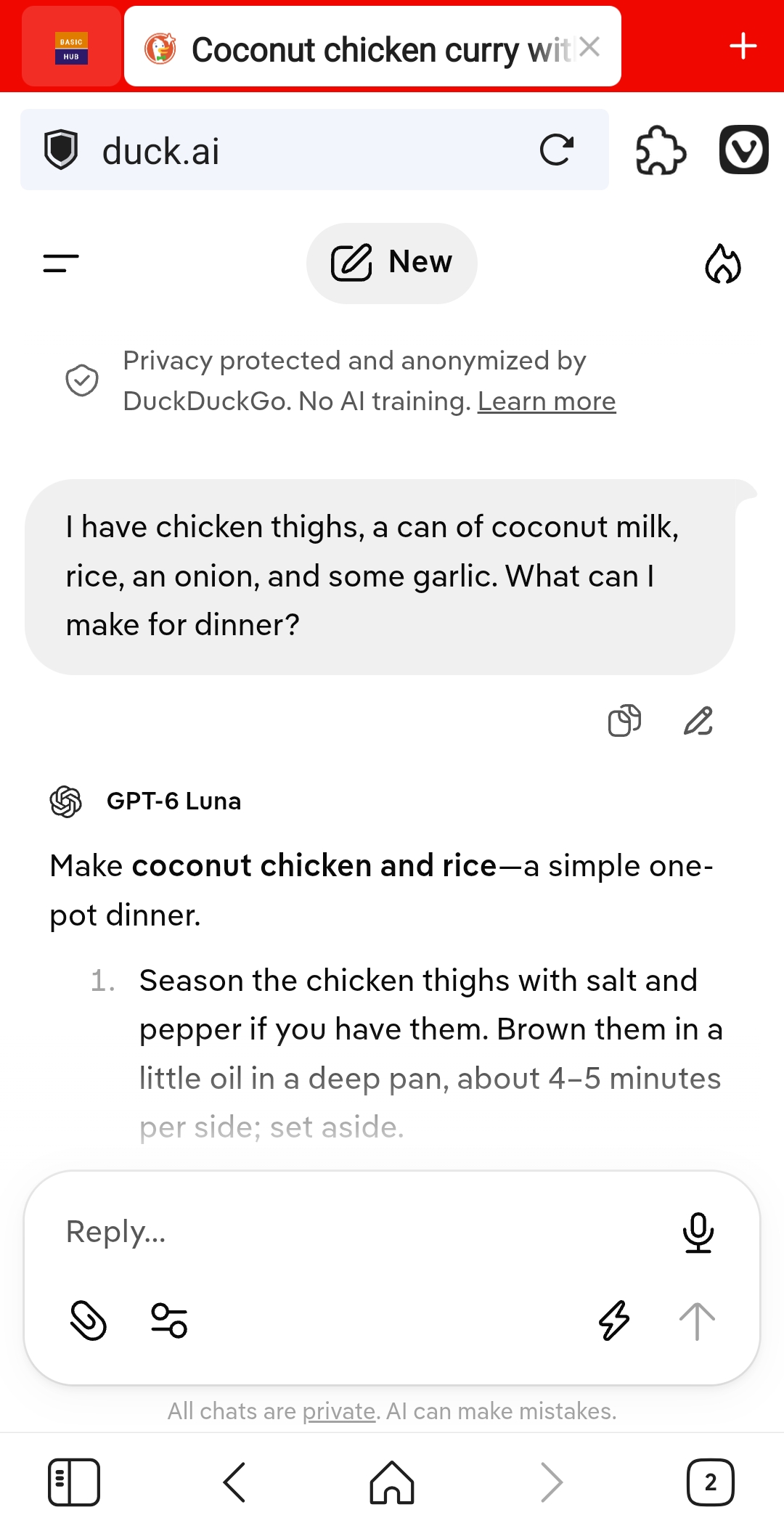
The same prompt, run through DuckDuckGo’s AI in a browser. The banner promises anonymity and no training, and the answer comes from an OpenAI model. The promise is about not knowing who asked. It is not a promise about the question itself.
The Bottom Line
AI is a tool. It need not cost anything. It takes five minutes to try. It might save you time every day, or it might not be for you. The only way to find out is to open one of these sites, type something, and see what happens.
Start with something trivial. “Tell me a joke.” “What is the weather?” “What can I make with eggs and a potato?” The barrier is not the technology. It is deciding to try.
Give it a shot. If it does not work for you, you have lost nothing. If it does, you have gained a free assistant that never complains, never gets tired, and is available any time of day or night.
Read this next: AI for Your Everyday Tasks - Writing, Research, and Getting Organized - copy-and-paste prompts for letters, explanations and planning, once you have picked a tool.